
Preview
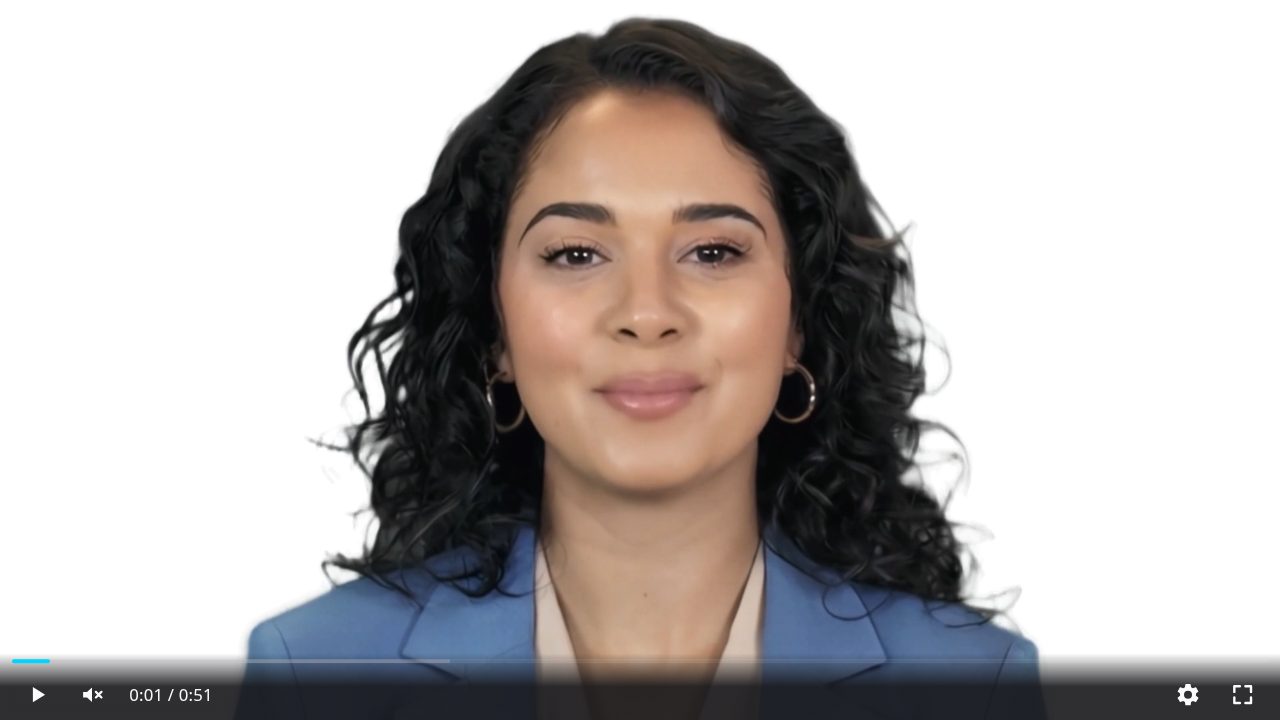
Move over or tap the video to bring the controls back.
About
Controls replaces the player's own control strip with one that fits how the video is being watched. It picks its layout from the screen and the shape of the frame, so the same video feels right on a laptop, a phone held sideways and a phone held upright.
- Bar: the layout for a mouse. A thin strip along the bottom with play, a progress bar that shows where the chapters begin, the time, volume and fullscreen. A lighter band on the progress bar shows how much of the video has loaded. Point at the progress bar to see the time there and the name of its chapter; dragging shows them too.
- Touch: the layout for wide video on a touch screen. Big targets, a tap anywhere reveals the controls, and a double tap on the left or right side skips back or forward.
- Immersive: the layout for tall video on a touch screen. Almost nothing on screen until a tap; a thin progress line stays at the bottom.
- Layout setting: Automatic (the default) chooses by itself: no touch screen, or a touch screen driven by a mouse or trackpad, gives the bar; a touch screen with a tall frame gives immersive; any other touch screen gives touch. Pick Bar, Touch or Immersive to force one.
- Hide after: how many seconds the controls stay up after a tap or a move, from 1 to 30.
- Skip by: how many seconds a double tap or the skip buttons jump, from 1 to 60.
- Show chapters: marks where each chapter begins on the progress bar, and names the chapter under the mouse.
- No seeking: on a video whose creator turned viewer seeking off (a branching show, a course that must be watched through), the controls leave out the progress bar, the time and the skip buttons, and a double tap does not skip; play / pause, sound, settings and full screen stay.
- In a project: new Studio projects start with Controls, and the Player panel's Controls setting switches a project between the controls it has installed. It is a controls plugin, so it does not go on a layer like an overlay.
- On any video: a host can put Controls on a video that does not carry it. Add the plugin under overrides.plugins['mp4e:controls'] and either pass pluginOverrides={{ controls: { pluginId: 'mp4e:controls' } }} to the player or set overrides.player.controls.pluginId to 'mp4e:controls'.
Settings
What a creator can set in the Studio, and what a host can set in its overrides.
Style
| Setting | Type | Default | What it does |
|---|---|---|---|
Fontfont | Text | - | A CSS font stack, e.g. "Georgia, serif". Use fonts the viewer's device already has; plugins cannot download fonts. Leave empty for the theme's own. |
Sizesize | One of | Normal | How large everything is, on top of scaling with the video. Lean-back is for a TV across the room. |
Themetheme | One of | Studio | The look. Pick the same theme on every family plugin in a video and they read as one set. |
Accent colouraccent | Colour | - | Buttons, highlights and the focus ring, as #rrggbb (or #rgb, rgb(), rgba()). Leave empty for the theme's own. The text on it is picked for you so it stays readable. |
Motionmotion | One of | Full | How things appear and move. A viewer who has asked their device for reduced motion always gets at most Reduced. |
Corner roundingradius | Number, 0 to 200 | - | Corner radius of panels and cards, in pixels of a 1920-wide frame. Leave empty for the theme's own. |
Background coloursurface | Colour | - | The panels' background, as #rrggbb (or #rgb, rgb(), rgba() for see-through). Leave empty for the theme's own. If the theme's text would not read on it, a readable one is used. |
Text colourtextColor | Colour | - | As #rrggbb (or #rgb, rgb(), rgba()). Leave empty for the theme's own (or the readable one picked for your background colour). |
Behaviour
| Setting | Type | Default | What it does |
|---|---|---|---|
Layoutlayout | One of | Automatic | Automatic picks the bar for a mouse, touch for wide video on a touch screen and immersive for tall video on a touch screen. Pick one to force it. |
Full screen buttonfullscreen | On or off | On | Show the full screen button. Turn it off where the player already fills the screen, as on a TV. |
Skip by (seconds)skipSeconds | Number | 10 | How far a double tap on the left or right side jumps, from 1 to 60. |
Show chaptersshowChapters | On or off | On | Mark where each chapter begins on the progress bar, and name the chapter under the mouse. |
Hide after (seconds)autoHideSeconds | Number | 3 | How long the controls stay up after a tap or a move while the video plays, from 1 to 30. |
What it can reach
This plugin asks for nothing: no network, no reading of the video's analysis, no say over what plays.
Versions
- v1.4.2November 19, 2026Current
What changed
1.4.2: on live video, the LIVE mark is not shown where the player says there is no jump to live (a personal session, or a scene the creator set to keep its viewer, such as a ticket not yet revealed). 1.4.1: live video with a programme on air (the player counts time from the programme's start): the progress bar and the seeks follow the player's time. Nothing changes without a programme. 1.4.0: live video. When the player says the video is live, a LIVE mark appears next to the time: red at the live edge, grey behind it, and a press returns to live. The progress bar spans what the stream lets the viewer replay, up to the live edge; the time shows how far behind the viewer is (nothing at the edge); with nothing to replay the bar and the skip buttons are hidden. Needs a player that sends `live` in the playback state; with any other nothing changes. 1.3.2: a video whose length is not known (a live stream) shows its position alone, not "/ 0:00". 1.3.1: on a phone or tablet, while the controls are hidden and the video plays, the empty strip along the bottom of the video no longer takes taps: a button, an object or a card there takes its own tap, and a tap on the bare video still brings the controls up. Needs the current web player; with an older one the strip still takes taps, as before. 1.3.0: a video whose creator turned viewer seeking off (the player refuses every viewer seek) gets controls without what seeks: no progress bar (nor its time under the mouse, chapter marks or loaded band), no time, no skip buttons, no double-tap skip and, on tall video, no progress line; play / pause, sound, settings and full screen stay. The player says so in the controls' data (`viewerSeeking: false`); with a player that does not (an older one) nothing changes. 1.2.2: a remote arriving from the side lands on the seek line; a remote or a keyboard opening a submenu lands on the current value, and Back returns to the row it came from; an open surface keeps a remote until Back closes it, and a remote leaves the rest at the edge (kit 1.3.1); the controls no longer hide while a remote's focus is on one of them, and a remote arriving from above shows them and lands on play / pause; where the host gives the page to a remote (`on`) the volume slider is not a stop (a TV has its own volume); a new setting, `fullscreen` (default on), hides the full screen button in every layout. 1.2.0: the bar shows how much of the video has loaded, as a lighter band on the progress bar (on a cut, how much of the cut). Needs a player that sends them (the current web player); with any other player (an older one, the iOS and Android players) the bar looks as before. The touch layouts are unchanged. Also in the bar: the progress bar fits the strip at the large and lean-back sizes on a large player too; after a mouse drag the time and chapter stay under the mouse until it leaves the progress bar; a switch to the bar no longer shows a leftover time readout. 1.1.0: the bar shows the time and the chapter under the mouse while you point at the progress bar or drag it; on a large player (about 1536 px wide and up, full screen on a desktop) the progress bar no longer falls off the top of the strip — the bar's buttons stay between 44 and 52 px. 1.0.4: the description says how to choose Controls in the Studio and in a video's own settings (no change to the plugin itself). 1.0.3: a tap on an object or an overlay that pauses the video no longer opens the full controls over the card it opened; a slow press on a control (held for seconds) still presses it; a keyboard click is never mistaken for a stray tap. 1.0.2: a tap on the video no longer also presses the control that appears under the finger (the player now reports a tap after its own click, and the controls ignore a click they did not see pressed); a double tap is timed from the presses (350 ms); a touch laptop or an iPad with a trackpad gets the bar; the bar stays while the mouse is over it. 1.0.1: on a touch screen a paused video shows a compact bar (play, seek, time, fullscreen) instead of covering the picture, so overlays stay tappable; the full controls step back when something else pauses the video. 1.0.0: first release — the family's player controls: a bar with a mouse, a phone player's controls on touch screens, and nearly no chrome on tall video.
- v1.4.1November 11, 2026
What changed
1.4.1: live video with a programme on air (the player counts time from the programme's start): the progress bar and the seeks follow the player's time. Nothing changes without a programme. 1.4.0: live video. When the player says the video is live, a LIVE mark appears next to the time: red at the live edge, grey behind it, and a press returns to live. The progress bar spans what the stream lets the viewer replay, up to the live edge; the time shows how far behind the viewer is (nothing at the edge); with nothing to replay the bar and the skip buttons are hidden. Needs a player that sends `live` in the playback state; with any other nothing changes. 1.3.2: a video whose length is not known (a live stream) shows its position alone, not "/ 0:00". 1.3.1: on a phone or tablet, while the controls are hidden and the video plays, the empty strip along the bottom of the video no longer takes taps: a button, an object or a card there takes its own tap, and a tap on the bare video still brings the controls up. Needs the current web player; with an older one the strip still takes taps, as before. 1.3.0: a video whose creator turned viewer seeking off (the player refuses every viewer seek) gets controls without what seeks: no progress bar (nor its time under the mouse, chapter marks or loaded band), no time, no skip buttons, no double-tap skip and, on tall video, no progress line; play / pause, sound, settings and full screen stay. The player says so in the controls' data (`viewerSeeking: false`); with a player that does not (an older one) nothing changes. 1.2.2: a remote arriving from the side lands on the seek line; a remote or a keyboard opening a submenu lands on the current value, and Back returns to the row it came from; an open surface keeps a remote until Back closes it, and a remote leaves the rest at the edge (kit 1.3.1); the controls no longer hide while a remote's focus is on one of them, and a remote arriving from above shows them and lands on play / pause; where the host gives the page to a remote (`on`) the volume slider is not a stop (a TV has its own volume); a new setting, `fullscreen` (default on), hides the full screen button in every layout. 1.2.0: the bar shows how much of the video has loaded, as a lighter band on the progress bar (on a cut, how much of the cut). Needs a player that sends them (the current web player); with any other player (an older one, the iOS and Android players) the bar looks as before. The touch layouts are unchanged. Also in the bar: the progress bar fits the strip at the large and lean-back sizes on a large player too; after a mouse drag the time and chapter stay under the mouse until it leaves the progress bar; a switch to the bar no longer shows a leftover time readout. 1.1.0: the bar shows the time and the chapter under the mouse while you point at the progress bar or drag it; on a large player (about 1536 px wide and up, full screen on a desktop) the progress bar no longer falls off the top of the strip — the bar's buttons stay between 44 and 52 px. 1.0.4: the description says how to choose Controls in the Studio and in a video's own settings (no change to the plugin itself). 1.0.3: a tap on an object or an overlay that pauses the video no longer opens the full controls over the card it opened; a slow press on a control (held for seconds) still presses it; a keyboard click is never mistaken for a stray tap. 1.0.2: a tap on the video no longer also presses the control that appears under the finger (the player now reports a tap after its own click, and the controls ignore a click they did not see pressed); a double tap is timed from the presses (350 ms); a touch laptop or an iPad with a trackpad gets the bar; the bar stays while the mouse is over it. 1.0.1: on a touch screen a paused video shows a compact bar (play, seek, time, fullscreen) instead of covering the picture, so overlays stay tappable; the full controls step back when something else pauses the video. 1.0.0: first release — the family's player controls: a bar with a mouse, a phone player's controls on touch screens, and nearly no chrome on tall video.
- v1.4.0November 11, 2026
What changed
1.4.0: live video. When the player says the video is live, a LIVE mark appears next to the time: red at the live edge, grey behind it, and a press returns to live. The progress bar spans what the stream lets the viewer replay, up to the live edge; the time shows how far behind the viewer is (nothing at the edge); with nothing to replay the bar and the skip buttons are hidden. Needs a player that sends `live` in the playback state; with any other nothing changes. 1.3.2: a video whose length is not known (a live stream) shows its position alone, not "/ 0:00". 1.3.1: on a phone or tablet, while the controls are hidden and the video plays, the empty strip along the bottom of the video no longer takes taps: a button, an object or a card there takes its own tap, and a tap on the bare video still brings the controls up. Needs the current web player; with an older one the strip still takes taps, as before. 1.3.0: a video whose creator turned viewer seeking off (the player refuses every viewer seek) gets controls without what seeks: no progress bar (nor its time under the mouse, chapter marks or loaded band), no time, no skip buttons, no double-tap skip and, on tall video, no progress line; play / pause, sound, settings and full screen stay. The player says so in the controls' data (`viewerSeeking: false`); with a player that does not (an older one) nothing changes. 1.2.2: a remote arriving from the side lands on the seek line; a remote or a keyboard opening a submenu lands on the current value, and Back returns to the row it came from; an open surface keeps a remote until Back closes it, and a remote leaves the rest at the edge (kit 1.3.1); the controls no longer hide while a remote's focus is on one of them, and a remote arriving from above shows them and lands on play / pause; where the host gives the page to a remote (`on`) the volume slider is not a stop (a TV has its own volume); a new setting, `fullscreen` (default on), hides the full screen button in every layout. 1.2.0: the bar shows how much of the video has loaded, as a lighter band on the progress bar (on a cut, how much of the cut). Needs a player that sends them (the current web player); with any other player (an older one, the iOS and Android players) the bar looks as before. The touch layouts are unchanged. Also in the bar: the progress bar fits the strip at the large and lean-back sizes on a large player too; after a mouse drag the time and chapter stay under the mouse until it leaves the progress bar; a switch to the bar no longer shows a leftover time readout. 1.1.0: the bar shows the time and the chapter under the mouse while you point at the progress bar or drag it; on a large player (about 1536 px wide and up, full screen on a desktop) the progress bar no longer falls off the top of the strip — the bar's buttons stay between 44 and 52 px. 1.0.4: the description says how to choose Controls in the Studio and in a video's own settings (no change to the plugin itself). 1.0.3: a tap on an object or an overlay that pauses the video no longer opens the full controls over the card it opened; a slow press on a control (held for seconds) still presses it; a keyboard click is never mistaken for a stray tap. 1.0.2: a tap on the video no longer also presses the control that appears under the finger (the player now reports a tap after its own click, and the controls ignore a click they did not see pressed); a double tap is timed from the presses (350 ms); a touch laptop or an iPad with a trackpad gets the bar; the bar stays while the mouse is over it. 1.0.1: on a touch screen a paused video shows a compact bar (play, seek, time, fullscreen) instead of covering the picture, so overlays stay tappable; the full controls step back when something else pauses the video. 1.0.0: first release — the family's player controls: a bar with a mouse, a phone player's controls on touch screens, and nearly no chrome on tall video.
- v1.3.2November 11, 2026
What changed
1.3.2: a video whose length is not known (a live stream) shows its position alone, not "/ 0:00". 1.3.1: on a phone or tablet, while the controls are hidden and the video plays, the empty strip along the bottom of the video no longer takes taps: a button, an object or a card there takes its own tap, and a tap on the bare video still brings the controls up. Needs the current web player; with an older one the strip still takes taps, as before. 1.3.0: a video whose creator turned viewer seeking off (the player refuses every viewer seek) gets controls without what seeks: no progress bar (nor its time under the mouse, chapter marks or loaded band), no time, no skip buttons, no double-tap skip and, on tall video, no progress line; play / pause, sound, settings and full screen stay. The player says so in the controls' data (`viewerSeeking: false`); with a player that does not (an older one) nothing changes. 1.2.2: a remote arriving from the side lands on the seek line; a remote or a keyboard opening a submenu lands on the current value, and Back returns to the row it came from; an open surface keeps a remote until Back closes it, and a remote leaves the rest at the edge (kit 1.3.1); the controls no longer hide while a remote's focus is on one of them, and a remote arriving from above shows them and lands on play / pause; where the host gives the page to a remote (`on`) the volume slider is not a stop (a TV has its own volume); a new setting, `fullscreen` (default on), hides the full screen button in every layout. 1.2.0: the bar shows how much of the video has loaded, as a lighter band on the progress bar (on a cut, how much of the cut). Needs a player that sends them (the current web player); with any other player (an older one, the iOS and Android players) the bar looks as before. The touch layouts are unchanged. Also in the bar: the progress bar fits the strip at the large and lean-back sizes on a large player too; after a mouse drag the time and chapter stay under the mouse until it leaves the progress bar; a switch to the bar no longer shows a leftover time readout. 1.1.0: the bar shows the time and the chapter under the mouse while you point at the progress bar or drag it; on a large player (about 1536 px wide and up, full screen on a desktop) the progress bar no longer falls off the top of the strip — the bar's buttons stay between 44 and 52 px. 1.0.4: the description says how to choose Controls in the Studio and in a video's own settings (no change to the plugin itself). 1.0.3: a tap on an object or an overlay that pauses the video no longer opens the full controls over the card it opened; a slow press on a control (held for seconds) still presses it; a keyboard click is never mistaken for a stray tap. 1.0.2: a tap on the video no longer also presses the control that appears under the finger (the player now reports a tap after its own click, and the controls ignore a click they did not see pressed); a double tap is timed from the presses (350 ms); a touch laptop or an iPad with a trackpad gets the bar; the bar stays while the mouse is over it. 1.0.1: on a touch screen a paused video shows a compact bar (play, seek, time, fullscreen) instead of covering the picture, so overlays stay tappable; the full controls step back when something else pauses the video. 1.0.0: first release — the family's player controls: a bar with a mouse, a phone player's controls on touch screens, and nearly no chrome on tall video.
- v1.3.1November 11, 2026
What changed
1.3.1: on a phone or tablet, while the controls are hidden and the video plays, the empty strip along the bottom of the video no longer takes taps: a button, an object or a card there takes its own tap, and a tap on the bare video still brings the controls up. Needs the current web player; with an older one the strip still takes taps, as before. 1.3.0: a video whose creator turned viewer seeking off (the player refuses every viewer seek) gets controls without what seeks: no progress bar (nor its time under the mouse, chapter marks or loaded band), no time, no skip buttons, no double-tap skip and, on tall video, no progress line; play / pause, sound, settings and full screen stay. The player says so in the controls' data (`viewerSeeking: false`); with a player that does not (an older one) nothing changes. 1.2.2: a remote arriving from the side lands on the seek line; a remote or a keyboard opening a submenu lands on the current value, and Back returns to the row it came from; an open surface keeps a remote until Back closes it, and a remote leaves the rest at the edge (kit 1.3.1); the controls no longer hide while a remote's focus is on one of them, and a remote arriving from above shows them and lands on play / pause; where the host gives the page to a remote (`on`) the volume slider is not a stop (a TV has its own volume); a new setting, `fullscreen` (default on), hides the full screen button in every layout. 1.2.0: the bar shows how much of the video has loaded, as a lighter band on the progress bar (on a cut, how much of the cut). Needs a player that sends them (the current web player); with any other player (an older one, the iOS and Android players) the bar looks as before. The touch layouts are unchanged. Also in the bar: the progress bar fits the strip at the large and lean-back sizes on a large player too; after a mouse drag the time and chapter stay under the mouse until it leaves the progress bar; a switch to the bar no longer shows a leftover time readout. 1.1.0: the bar shows the time and the chapter under the mouse while you point at the progress bar or drag it; on a large player (about 1536 px wide and up, full screen on a desktop) the progress bar no longer falls off the top of the strip — the bar's buttons stay between 44 and 52 px. 1.0.4: the description says how to choose Controls in the Studio and in a video's own settings (no change to the plugin itself). 1.0.3: a tap on an object or an overlay that pauses the video no longer opens the full controls over the card it opened; a slow press on a control (held for seconds) still presses it; a keyboard click is never mistaken for a stray tap. 1.0.2: a tap on the video no longer also presses the control that appears under the finger (the player now reports a tap after its own click, and the controls ignore a click they did not see pressed); a double tap is timed from the presses (350 ms); a touch laptop or an iPad with a trackpad gets the bar; the bar stays while the mouse is over it. 1.0.1: on a touch screen a paused video shows a compact bar (play, seek, time, fullscreen) instead of covering the picture, so overlays stay tappable; the full controls step back when something else pauses the video. 1.0.0: first release — the family's player controls: a bar with a mouse, a phone player's controls on touch screens, and nearly no chrome on tall video.
- v1.3.0November 9, 2026
What changed
1.3.0: a video whose creator turned viewer seeking off (the player refuses every viewer seek) gets controls without what seeks: no progress bar (nor its time under the mouse, chapter marks or loaded band), no time, no skip buttons, no double-tap skip and, on tall video, no progress line; play / pause, sound, settings and full screen stay. The player says so in the controls' data (`viewerSeeking: false`); with a player that does not (an older one) nothing changes. 1.2.2: a remote arriving from the side lands on the seek line; a remote or a keyboard opening a submenu lands on the current value, and Back returns to the row it came from; an open surface keeps a remote until Back closes it, and a remote leaves the rest at the edge (kit 1.3.1); the controls no longer hide while a remote's focus is on one of them, and a remote arriving from above shows them and lands on play / pause; where the host gives the page to a remote (`on`) the volume slider is not a stop (a TV has its own volume); a new setting, `fullscreen` (default on), hides the full screen button in every layout. 1.2.0: the bar shows how much of the video has loaded, as a lighter band on the progress bar (on a cut, how much of the cut). Needs a player that sends them (the current web player); with any other player (an older one, the iOS and Android players) the bar looks as before. The touch layouts are unchanged. Also in the bar: the progress bar fits the strip at the large and lean-back sizes on a large player too; after a mouse drag the time and chapter stay under the mouse until it leaves the progress bar; a switch to the bar no longer shows a leftover time readout. 1.1.0: the bar shows the time and the chapter under the mouse while you point at the progress bar or drag it; on a large player (about 1536 px wide and up, full screen on a desktop) the progress bar no longer falls off the top of the strip — the bar's buttons stay between 44 and 52 px. 1.0.4: the description says how to choose Controls in the Studio and in a video's own settings (no change to the plugin itself). 1.0.3: a tap on an object or an overlay that pauses the video no longer opens the full controls over the card it opened; a slow press on a control (held for seconds) still presses it; a keyboard click is never mistaken for a stray tap. 1.0.2: a tap on the video no longer also presses the control that appears under the finger (the player now reports a tap after its own click, and the controls ignore a click they did not see pressed); a double tap is timed from the presses (350 ms); a touch laptop or an iPad with a trackpad gets the bar; the bar stays while the mouse is over it. 1.0.1: on a touch screen a paused video shows a compact bar (play, seek, time, fullscreen) instead of covering the picture, so overlays stay tappable; the full controls step back when something else pauses the video. 1.0.0: first release — the family's player controls: a bar with a mouse, a phone player's controls on touch screens, and nearly no chrome on tall video.
- v1.2.2November 4, 2026
What changed
1.2.2: a remote arriving from the side lands on the seek line; a remote or a keyboard opening a submenu lands on the current value, and Back returns to the row it came from; an open surface keeps a remote until Back closes it, and a remote leaves the rest at the edge (kit 1.3.1); the controls no longer hide while a remote's focus is on one of them, and a remote arriving from above shows them and lands on play / pause; where the host gives the page to a remote (`on`) the volume slider is not a stop (a TV has its own volume); a new setting, `fullscreen` (default on), hides the full screen button in every layout. 1.2.0: the bar shows how much of the video has loaded, as a lighter band on the progress bar (on a cut, how much of the cut). Needs a player that sends them (the current web player); with any other player (an older one, the iOS and Android players) the bar looks as before. The touch layouts are unchanged. Also in the bar: the progress bar fits the strip at the large and lean-back sizes on a large player too; after a mouse drag the time and chapter stay under the mouse until it leaves the progress bar; a switch to the bar no longer shows a leftover time readout. 1.1.0: the bar shows the time and the chapter under the mouse while you point at the progress bar or drag it; on a large player (about 1536 px wide and up, full screen on a desktop) the progress bar no longer falls off the top of the strip — the bar's buttons stay between 44 and 52 px. 1.0.4: the description says how to choose Controls in the Studio and in a video's own settings (no change to the plugin itself). 1.0.3: a tap on an object or an overlay that pauses the video no longer opens the full controls over the card it opened; a slow press on a control (held for seconds) still presses it; a keyboard click is never mistaken for a stray tap. 1.0.2: a tap on the video no longer also presses the control that appears under the finger (the player now reports a tap after its own click, and the controls ignore a click they did not see pressed); a double tap is timed from the presses (350 ms); a touch laptop or an iPad with a trackpad gets the bar; the bar stays while the mouse is over it. 1.0.1: on a touch screen a paused video shows a compact bar (play, seek, time, fullscreen) instead of covering the picture, so overlays stay tappable; the full controls step back when something else pauses the video. 1.0.0: first release — the family's player controls: a bar with a mouse, a phone player's controls on touch screens, and nearly no chrome on tall video.
- v1.2.1November 3, 2026
What changed
1.2.0: the bar shows how much of the video has loaded, as a lighter band on the progress bar (on a cut, how much of the cut). Needs a player that sends them (the current web player); with any other player (an older one, the iOS and Android players) the bar looks as before. The touch layouts are unchanged. Also in the bar: the progress bar fits the strip at the large and lean-back sizes on a large player too; after a mouse drag the time and chapter stay under the mouse until it leaves the progress bar; a switch to the bar no longer shows a leftover time readout. 1.1.0: the bar shows the time and the chapter under the mouse while you point at the progress bar or drag it; on a large player (about 1536 px wide and up, full screen on a desktop) the progress bar no longer falls off the top of the strip — the bar's buttons stay between 44 and 52 px. 1.0.4: the description says how to choose Controls in the Studio and in a video's own settings (no change to the plugin itself). 1.0.3: a tap on an object or an overlay that pauses the video no longer opens the full controls over the card it opened; a slow press on a control (held for seconds) still presses it; a keyboard click is never mistaken for a stray tap. 1.0.2: a tap on the video no longer also presses the control that appears under the finger (the player now reports a tap after its own click, and the controls ignore a click they did not see pressed); a double tap is timed from the presses (350 ms); a touch laptop or an iPad with a trackpad gets the bar; the bar stays while the mouse is over it. 1.0.1: on a touch screen a paused video shows a compact bar (play, seek, time, fullscreen) instead of covering the picture, so overlays stay tappable; the full controls step back when something else pauses the video. 1.0.0: first release — the family's player controls: a bar with a mouse, a phone player's controls on touch screens, and nearly no chrome on tall video.
- v1.2.0October 27, 2026
What changed
1.2.0: the bar shows how much of the video has loaded, as a lighter band on the progress bar (on a cut, how much of the cut). Needs a player that sends them (the current web player); with any other player (an older one, the iOS and Android players) the bar looks as before. The touch layouts are unchanged. Also in the bar: the progress bar fits the strip at the large and lean-back sizes on a large player too; after a mouse drag the time and chapter stay under the mouse until it leaves the progress bar; a switch to the bar no longer shows a leftover time readout. 1.1.0: the bar shows the time and the chapter under the mouse while you point at the progress bar or drag it; on a large player (about 1536 px wide and up, full screen on a desktop) the progress bar no longer falls off the top of the strip — the bar's buttons stay between 44 and 52 px. 1.0.4: the description says how to choose Controls in the Studio and in a video's own settings (no change to the plugin itself). 1.0.3: a tap on an object or an overlay that pauses the video no longer opens the full controls over the card it opened; a slow press on a control (held for seconds) still presses it; a keyboard click is never mistaken for a stray tap. 1.0.2: a tap on the video no longer also presses the control that appears under the finger (the player now reports a tap after its own click, and the controls ignore a click they did not see pressed); a double tap is timed from the presses (350 ms); a touch laptop or an iPad with a trackpad gets the bar; the bar stays while the mouse is over it. 1.0.1: on a touch screen a paused video shows a compact bar (play, seek, time, fullscreen) instead of covering the picture, so overlays stay tappable; the full controls step back when something else pauses the video. 1.0.0: first release — the family's player controls: a bar with a mouse, a phone player's controls on touch screens, and nearly no chrome on tall video.
- v1.1.0October 26, 2026
What changed
1.1.0: the bar shows the time and the chapter under the mouse while you point at the progress bar or drag it; on a large player (about 1536 px wide and up, full screen on a desktop) the progress bar no longer falls off the top of the strip — the bar's buttons stay between 44 and 52 px. 1.0.4: the description says how to choose Controls in the Studio and in a video's own settings (no change to the plugin itself). 1.0.3: a tap on an object or an overlay that pauses the video no longer opens the full controls over the card it opened; a slow press on a control (held for seconds) still presses it; a keyboard click is never mistaken for a stray tap. 1.0.2: a tap on the video no longer also presses the control that appears under the finger (the player now reports a tap after its own click, and the controls ignore a click they did not see pressed); a double tap is timed from the presses (350 ms); a touch laptop or an iPad with a trackpad gets the bar; the bar stays while the mouse is over it. 1.0.1: on a touch screen a paused video shows a compact bar (play, seek, time, fullscreen) instead of covering the picture, so overlays stay tappable; the full controls step back when something else pauses the video. 1.0.0: first release — the family's player controls: a bar with a mouse, a phone player's controls on touch screens, and nearly no chrome on tall video.
- v1.0.4October 26, 2026
What changed
1.0.4: the description says how to choose Controls in the Studio and in a video's own settings (no change to the plugin itself). 1.0.3: a tap on an object or an overlay that pauses the video no longer opens the full controls over the card it opened; a slow press on a control (held for seconds) still presses it; a keyboard click is never mistaken for a stray tap. 1.0.2: a tap on the video no longer also presses the control that appears under the finger (the player now reports a tap after its own click, and the controls ignore a click they did not see pressed); a double tap is timed from the presses (350 ms); a touch laptop or an iPad with a trackpad gets the bar; the bar stays while the mouse is over it. 1.0.1: on a touch screen a paused video shows a compact bar (play, seek, time, fullscreen) instead of covering the picture, so overlays stay tappable; the full controls step back when something else pauses the video. 1.0.0: first release — the family's player controls: a bar with a mouse, a phone player's controls on touch screens, and nearly no chrome on tall video.
- v1.0.3October 26, 2026
What changed
1.0.3: a tap on an object or an overlay that pauses the video no longer opens the full controls over the card it opened; a slow press on a control (held for seconds) still presses it; a keyboard click is never mistaken for a stray tap. 1.0.2: a tap on the video no longer also presses the control that appears under the finger (the player now reports a tap after its own click, and the controls ignore a click they did not see pressed); a double tap is timed from the presses (350 ms); a touch laptop or an iPad with a trackpad gets the bar; the bar stays while the mouse is over it. 1.0.1: on a touch screen a paused video shows a compact bar (play, seek, time, fullscreen) instead of covering the picture, so overlays stay tappable; the full controls step back when something else pauses the video. 1.0.0: first release — the family's player controls: a bar with a mouse, a phone player's controls on touch screens, and nearly no chrome on tall video.
- v1.0.1October 26, 2026
What changed
1.0.1: on a touch screen a paused video shows a compact bar (play, seek, time, fullscreen) instead of covering the picture, so overlays stay tappable; the full controls step back when something else pauses the video. 1.0.0: first release — the family's player controls: a bar with a mouse, a phone player's controls on touch screens, and nearly no chrome on tall video.
- v1.0.0October 26, 2026
What changed
First release: the family's player controls — a bar with a mouse, a phone player's controls on touch screens, and nearly no chrome on tall video.