Plugins
What a video can do
Cards, carts, quizzes, chapters, ads, controls. A plugin is one thing a video does; add it to a video and it travels inside the file. Each one below runs in the real player on its page.
Running now
One card, six looks
This is Product card in the real player, on a sample video. Pick a theme and the card restyles while the video plays. Every plugin's page runs it the same way.
See Product card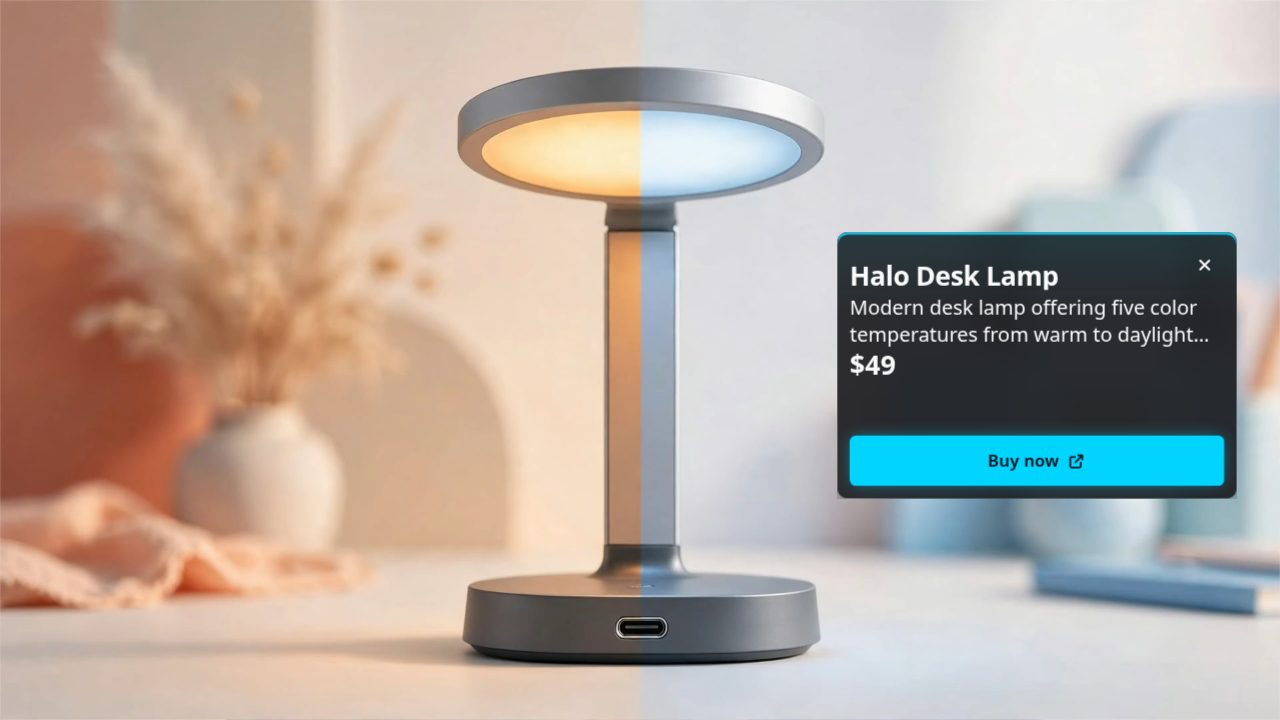
Start here
The plugins most videos begin with: a card, a question, chapters, a button and the player's own controls.
 Product cardProduct cards that appear as each product is shown or named, with the price and one tap to its page.On the videoBy MP4E
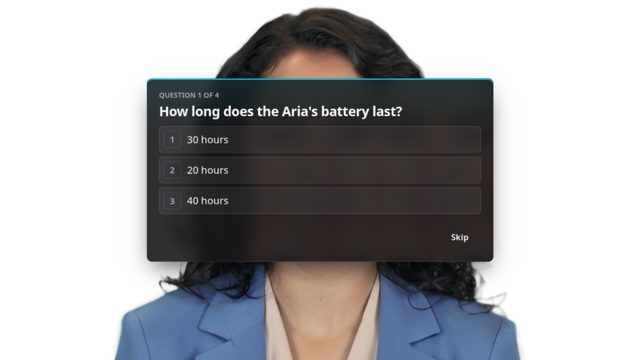 QuizQuestions that pause the video right after the answer is given, check the reply and end with a score.On the videoBy MP4E
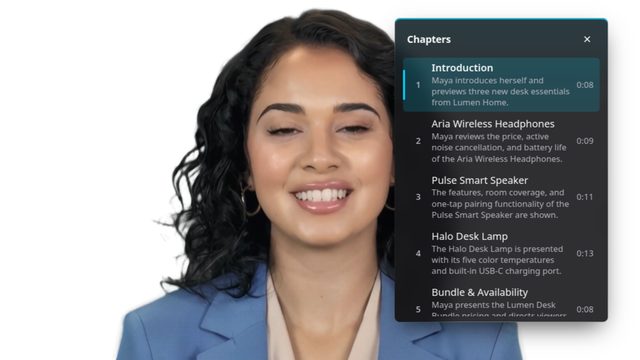 CutsOne file, several lengths: viewers pick a shorter cut or jump between chapters from a panel.On the videoBy MP4E
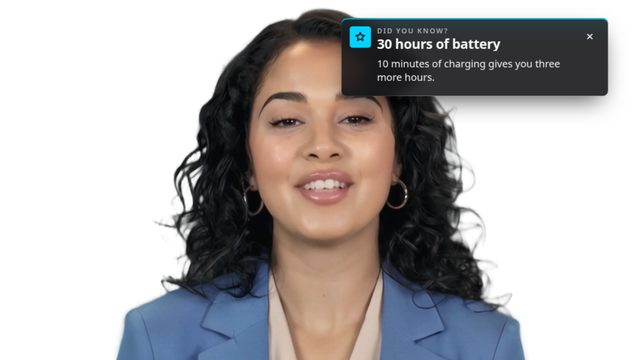 Info cardShort timed cards that explain what is on screen: a fact, a tip, a definition or a warning.On the videoBy MP4E
 Call to actionA timed button or banner that asks viewers to act, such as visiting the shop, at the right moment.On the videoBy MP4E
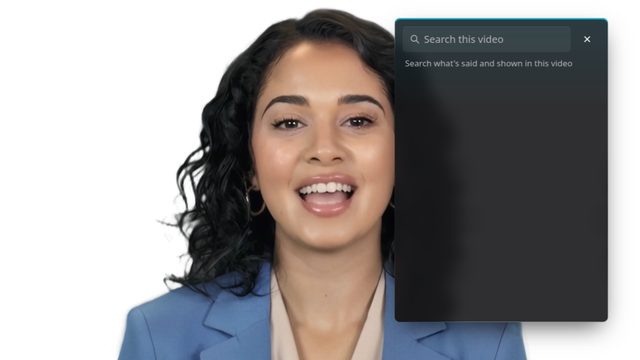 SearchViewers search inside the video for what is said and shown, and jump straight to the moment.On the videoBy MP4E
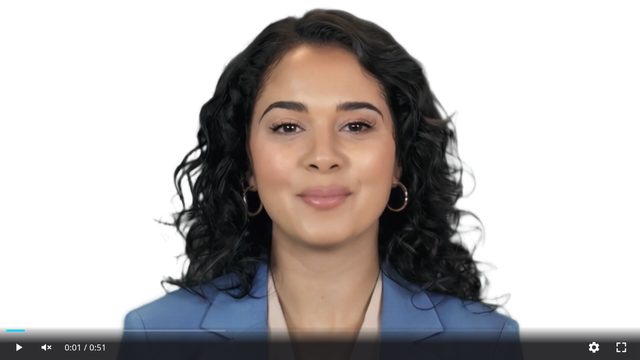 ControlsThe player's own controls: a bar for a mouse, phone-style controls on touch, almost no chrome for tall video.Player controlsBy MP4E
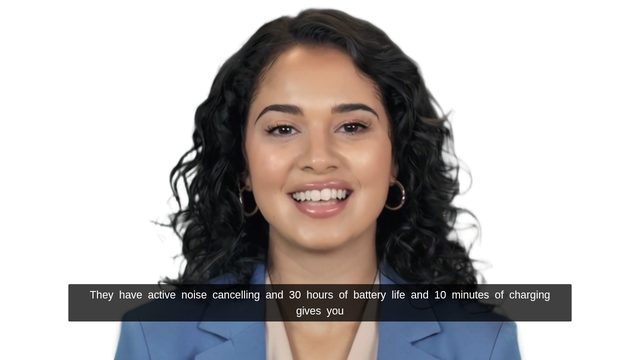 Simple SubtitlesSubtitles in a plain box under the picture, in the colours and size you choose.SubtitlesBy MP4E
Shoppable video
Sell what is on screen: product cards, a cart, colours a viewer picks, and markers on the things that can be tapped.
Product cardProduct cards that appear as each product is shown or named, with the price and one tap to its page.On the videoBy MP4E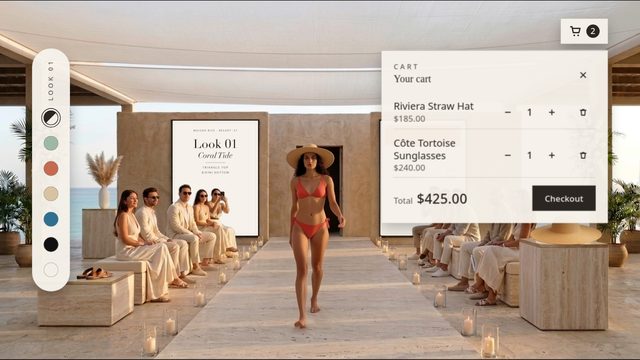 CartAn in-video cart: viewers add products while the video plays, review them and check out on your site.On the videoBy MP4E
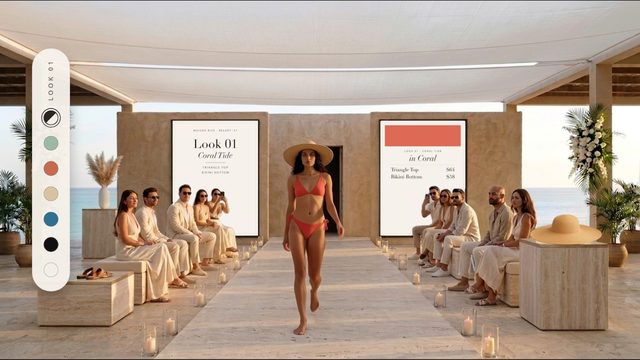 Atelier cardA luxury card for a tapped garment: swatches that recolour it in the video, sizes and Add to bag.On the videoBy MP4E
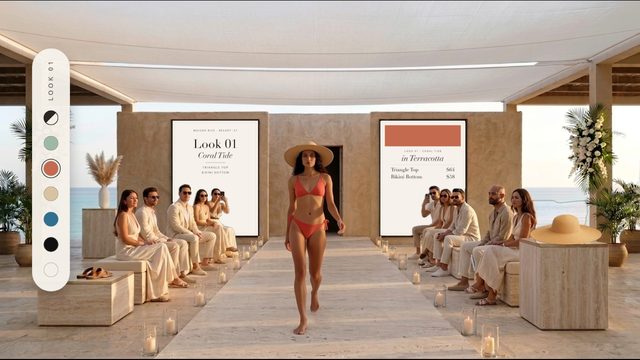 ColourwaysViewers pick a colourway for the look on screen and the garment changes colour in the video.On the videoBy MP4E
 Style pickerViewers choose a look from rows of named options, and each pick sets a variable your video follows.On the videoBy MP4E
 Neon HotspotA glowing, pulsing marker on each product that invites the viewer to tap it.An object's cardBy MP4E
 TooltipA small label above a product that names it and gives its price while it is on screen.An object's cardBy MP4E
 Countdown TimerA countdown panel that shows the hours, minutes and seconds you set, or a timer variable's value.On the videoBy MP4E
Courses and how-to
Teach with the video: questions that wait for an answer, steps to follow, facts beside the picture and a second look at a moment.
QuizQuestions that pause the video right after the answer is given, check the reply and end with a score.On the videoBy MP4E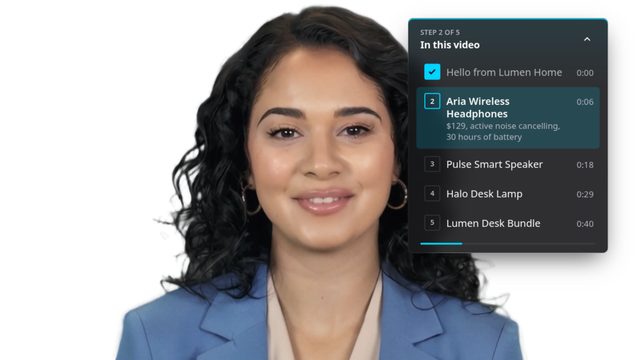 StepsA checklist beside the video that lights up each step as it plays and jumps to any step on a tap.On the videoBy MP4EInfo cardShort timed cards that explain what is on screen: a fact, a tip, a definition or a warning.On the videoBy MP4E
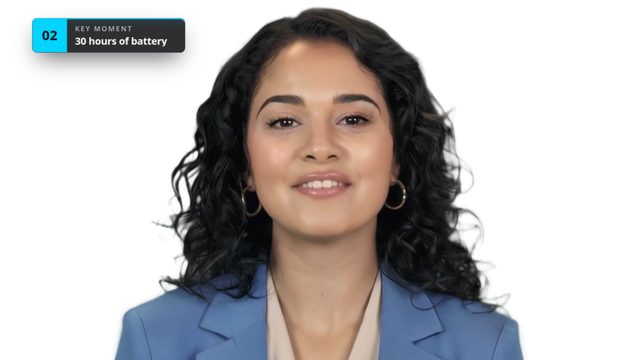 MomentsKey moments pop up as the video reaches them, and a list in the player menu jumps to any of them.On the videoBy MP4E
 Replay ButtonA button on the video that replays a chosen stretch in slow motion, then goes back to where the viewer was.On the videoBy MP4E
 PDF SlideshowShows a PDF page by page over the video, for slides, catalogues and manuals.On the videoBy MP4E
 Word Lookup (Wiktionary)Viewers tap a word in the subtitles and a card shows its meaning, with a translation into the language they pick.On the videoBy MP4E
Chapters and search
Let viewers find their place: chapters and shorter cuts, key moments, and search over what is said and shown.
CutsOne file, several lengths: viewers pick a shorter cut or jump between chapters from a panel.On the videoBy MP4ESearchViewers search inside the video for what is said and shown, and jump straight to the moment.On the videoBy MP4EMomentsKey moments pop up as the video reaches them, and a list in the player menu jumps to any of them.On the videoBy MP4EStepsA checklist beside the video that lights up each step as it plays and jumps to any step on a tap.On the videoBy MP4EAds
Ad breaks and ad slots that a host's ad server fills, with the controls and the offer card an ad shows.
 Linear adsPlays your ad server's pre-, mid- and post-roll video ads, then returns viewers to where they were.Runs in the backgroundBy MP4E
 Ad controlsThe controls of a video ad break: time remaining, play and mute, a skip countdown and Learn more.On the videoBy MP4E
 Ad offerMakes a video ad answerable: viewers order, take an email offer or ask to be reminded, inside the ad.On the videoBy MP4E
 Ad slotsBillboards, posters and screens inside the picture, filled per viewer by your own ad server.Runs in the backgroundBy MP4E
Player controls
The play bar itself, in different looks.
ControlsThe player's own controls: a bar for a mouse, phone-style controls on touch, almost no chrome for tall video.Player controlsBy MP4E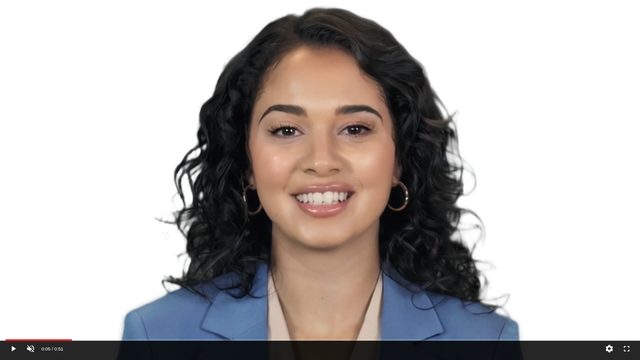 Standard ControlsA familiar control bar with chapter segments, a settings menu and a volume slider that opens on hover.Player controlsBy MP4E
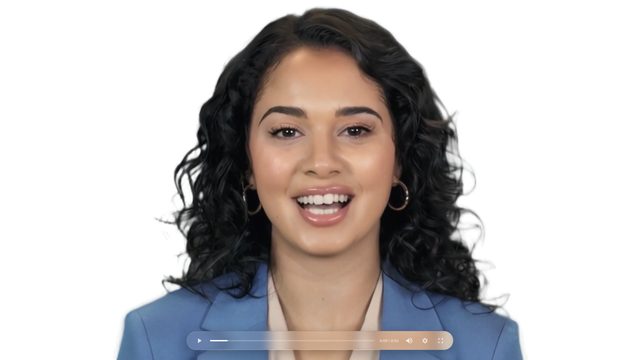 Minimal ControlsA thin glass bar with play, progress, time, sound, settings and full screen, and nothing else.Player controlsBy MP4E
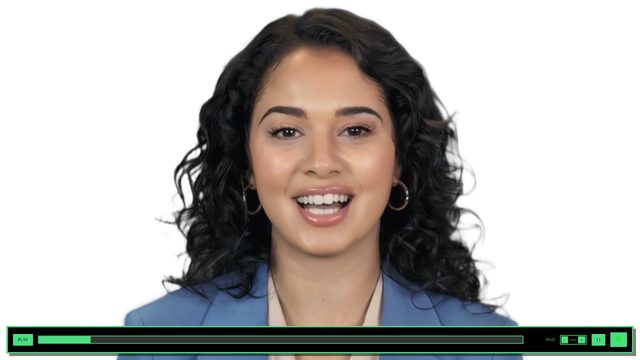 Retro ControlsChunky 8-bit controls with a pixel progress bar and text buttons, for game trailers and retro themes.Player controlsBy MP4E
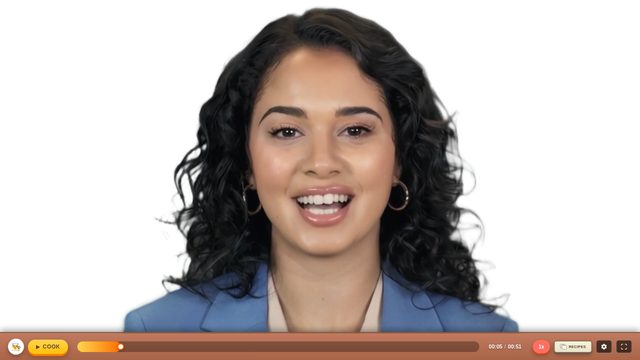 Kawaii Cooking ControlsWarm, kitchen-styled controls with a speed button and a settings menu for subtitles and audio.Player controlsBy MP4E
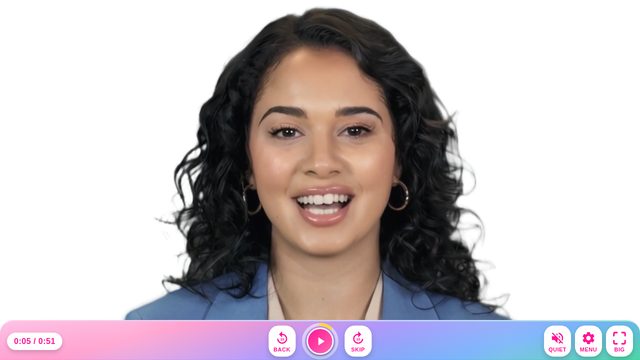 Kids Controls (Rainbow Fun)Big, rounded controls on a rainbow bar, made for children.Player controlsBy MP4E
Subtitles
How the words are drawn: plain lines, boxed words, or each word lit as it is spoken.
Simple SubtitlesSubtitles in a plain box under the picture, in the colours and size you choose.SubtitlesBy MP4E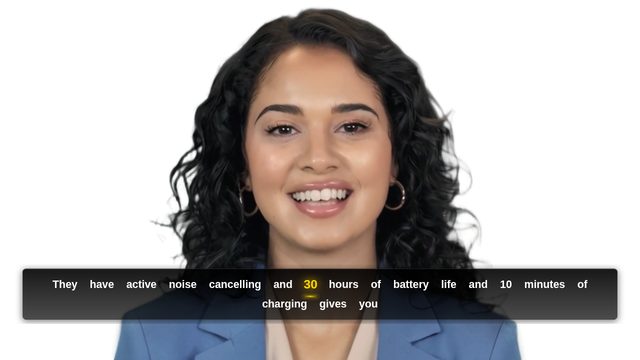 Karaoke ProBig, bold subtitles for sing-alongs: the spoken word grows, glows and is underlined.SubtitlesBy MP4E
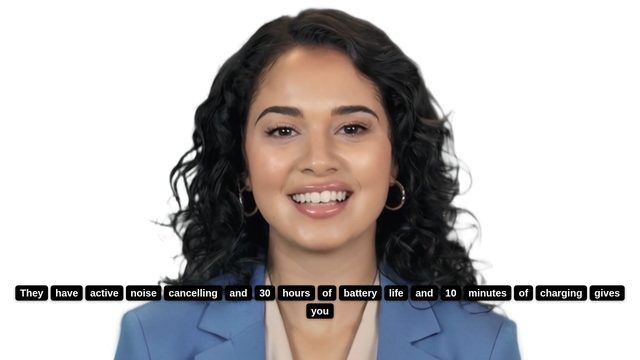 Boxed WordsEvery word of the subtitle in its own box, as in short-form social video.SubtitlesBy MP4E
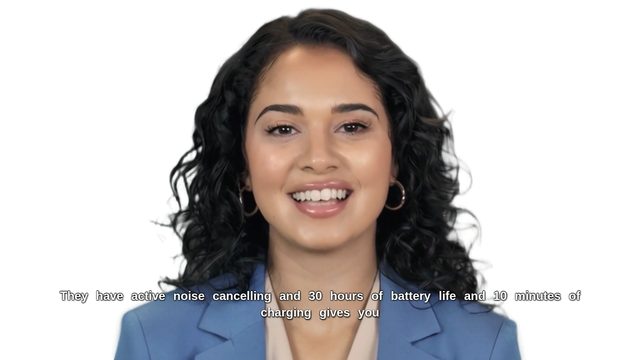 Minimal SubtitlesSubtitles with no box: plain words over the picture, kept readable by a shadow.SubtitlesBy MP4E
Tools
Building blocks: text, pictures, buttons, shapes, a form, a second video and a web page on the video.
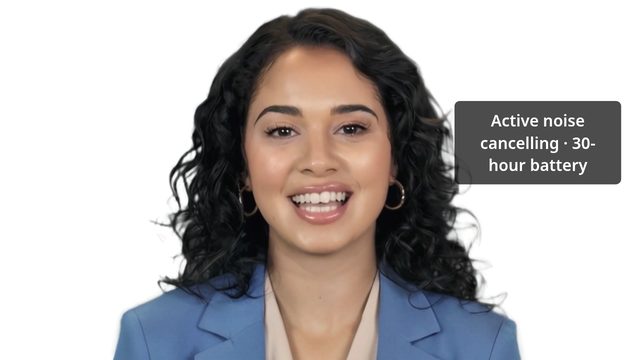 TextA line of text on the video, styled and animated the way you set it.On the videoBy MP4E
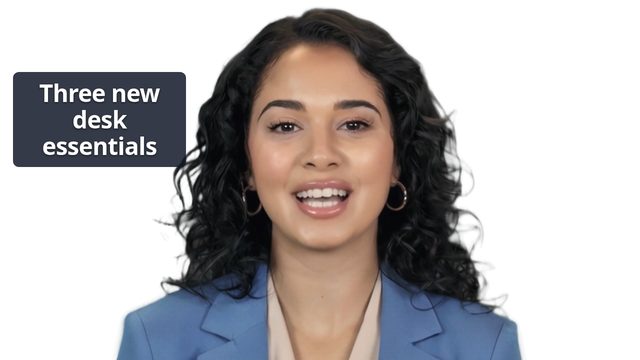 HeadingA big headline with an optional subtitle, for titles and key moments in a video.On the videoBy MP4E
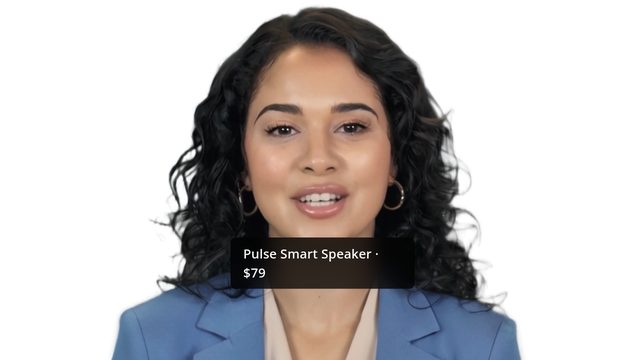 CaptionA short caption in a rounded box, for notes and supporting lines under what is said.On the videoBy MP4E
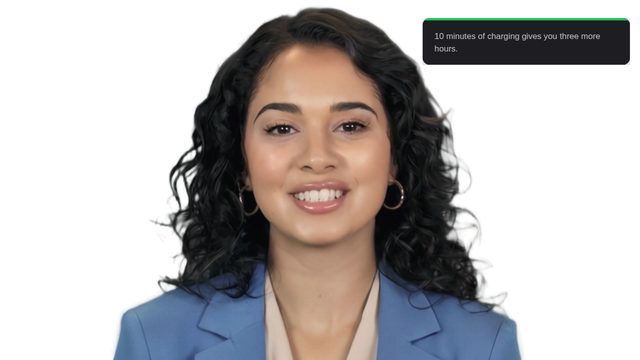 Callout BoxA box with an icon, a title and a short message that points out one fact, with an optional button.On the videoBy MP4E
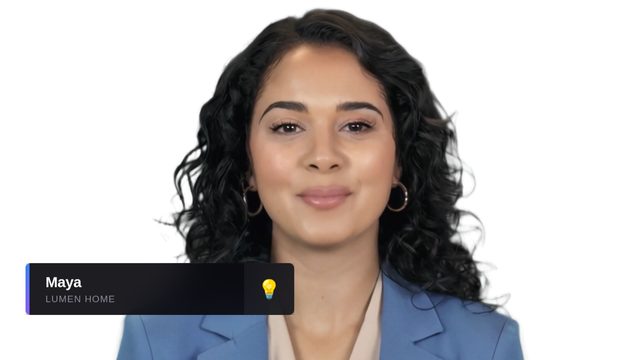 Lower ThirdA broadcast-style name bar that says who is speaking or what is shown.On the videoBy MP4E
 ButtonA tappable button on the video, for a call to action like shopping or learning more.On the videoBy MP4E
 Email FormA dialog that pauses the video and asks the viewer for an email address.DialogBy MP4E
 ImageA round picture with a glowing ring and a label, for a product or a face on the video.On the videoBy MP4E
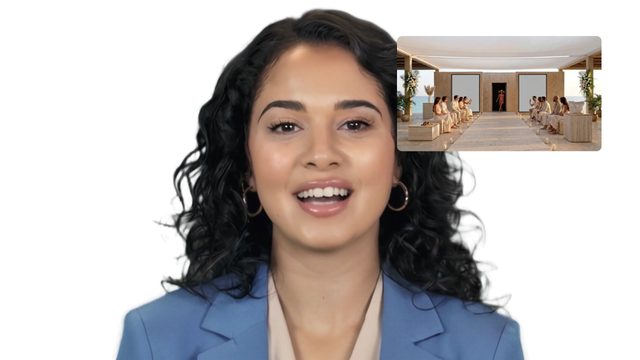 Media DisplayPlaces a picture, a looping clip, an audio player or a document link on the video.On the videoBy MP4E
 ShapeA plain shape on the video: rectangle, circle, triangle, arrow or star, in your colours.On the videoBy MP4E
 StickerAn emoji or picture sticker on the video that grows to fill its box.On the videoBy MP4E
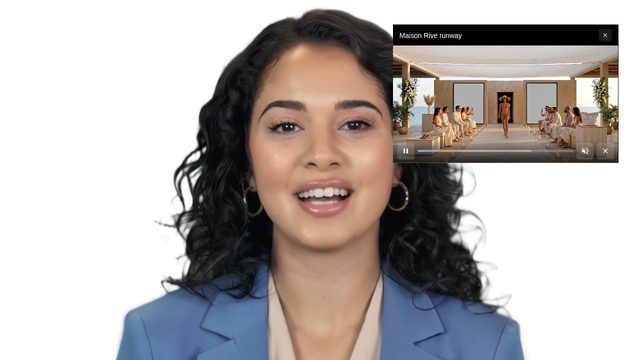 Picture in Picture VideoPlays a second video in a small window over the main one, with its own controls.On the videoBy MP4E
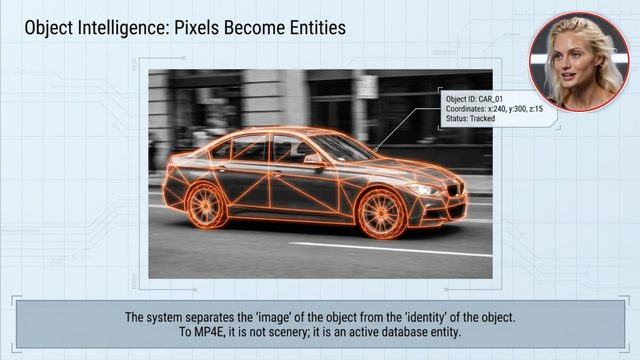 Video LensShows a cropped, shaped piece of the playing video anywhere on screen, such as a round picture of the speaker over a slide.On the videoBy MP4E
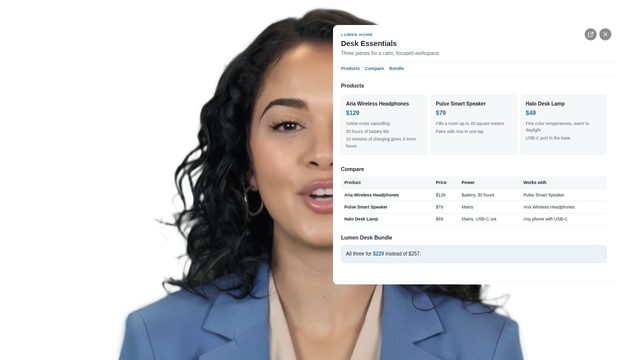 WebviewOpens a web page in a panel on the video, so viewers can look at it without leaving.On the videoBy MP4E
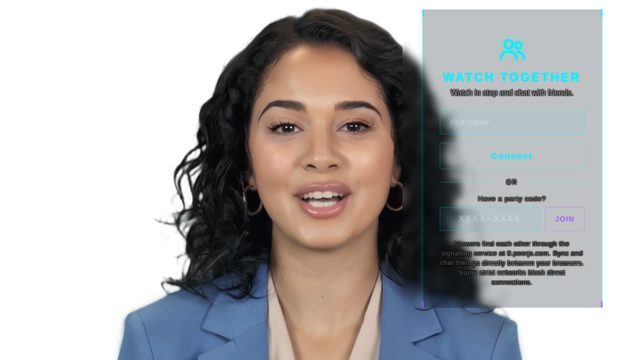 Watch Party (P2P)Lets viewers in different places watch the same video in step, with a chat and reactions beside it.On the videoBy MP4E
 Sound PlayerPlays sound effects, music cues and background loops when a button or rule asks.Runs in the backgroundBy MP4E
 Replay ControllerReplays a stretch of the video in slow motion when a button or rule asks, then takes viewers back to where they were.Runs in the backgroundBy MP4E
 Voice ControlLets viewers play, pause, skip and change the volume by saying so.Runs in the backgroundBy MP4E
All plugins
50 pluginsProduct cardProduct cards that appear as each product is shown or named, with the price and one tap to its page.On the videoBy MP4ECountdown TimerA countdown panel that shows the hours, minutes and seconds you set, or a timer variable's value.On the videoBy MP4EStandard ControlsA familiar control bar with chapter segments, a settings menu and a volume slider that opens on hover.Player controlsBy MP4ECutsOne file, several lengths: viewers pick a shorter cut or jump between chapters from a panel.On the videoBy MP4EVoice ControlLets viewers play, pause, skip and change the volume by saying so.Runs in the backgroundBy MP4ECartAn in-video cart: viewers add products while the video plays, review them and check out on your site.On the videoBy MP4ESimple SubtitlesSubtitles in a plain box under the picture, in the colours and size you choose.SubtitlesBy MP4ERetro ControlsChunky 8-bit controls with a pixel progress bar and text buttons, for game trailers and retro themes.Player controlsBy MP4EColourwaysViewers pick a colourway for the look on screen and the garment changes colour in the video.On the videoBy MP4EAtelier cardA luxury card for a tapped garment: swatches that recolour it in the video, sizes and Add to bag.On the videoBy MP4ECall to actionA timed button or banner that asks viewers to act, such as visiting the shop, at the right moment.On the videoBy MP4EControlsThe player's own controls: a bar for a mouse, phone-style controls on touch, almost no chrome for tall video.Player controlsBy MP4EKaraoke ProBig, bold subtitles for sing-alongs: the spoken word grows, glows and is underlined.SubtitlesBy MP4EMinimal ControlsA thin glass bar with play, progress, time, sound, settings and full screen, and nothing else.Player controlsBy MP4ESearchViewers search inside the video for what is said and shown, and jump straight to the moment.On the videoBy MP4EBoxed WordsEvery word of the subtitle in its own box, as in short-form social video.SubtitlesBy MP4EInfo cardShort timed cards that explain what is on screen: a fact, a tip, a definition or a warning.On the videoBy MP4ESound PlayerPlays sound effects, music cues and background loops when a button or rule asks.Runs in the backgroundBy MP4EVideo LensShows a cropped, shaped piece of the playing video anywhere on screen, such as a round picture of the speaker over a slide.On the videoBy MP4EStepsA checklist beside the video that lights up each step as it plays and jumps to any step on a tap.On the videoBy MP4EAd slotsBillboards, posters and screens inside the picture, filled per viewer by your own ad server.Runs in the backgroundBy MP4EMomentsKey moments pop up as the video reaches them, and a list in the player menu jumps to any of them.On the videoBy MP4EPDF SlideshowShows a PDF page by page over the video, for slides, catalogues and manuals.On the videoBy MP4EQuizQuestions that pause the video right after the answer is given, check the reply and end with a score.On the videoBy MP4EReplay ButtonA button on the video that replays a chosen stretch in slow motion, then goes back to where the viewer was.On the videoBy MP4EReplay ControllerReplays a stretch of the video in slow motion when a button or rule asks, then takes viewers back to where they were.Runs in the backgroundBy MP4EStyle pickerViewers choose a look from rows of named options, and each pick sets a variable your video follows.On the videoBy MP4EWebviewOpens a web page in a panel on the video, so viewers can look at it without leaving.On the videoBy MP4EAd controlsThe controls of a video ad break: time remaining, play and mute, a skip countdown and Learn more.On the videoBy MP4ELinear adsPlays your ad server's pre-, mid- and post-roll video ads, then returns viewers to where they were.Runs in the backgroundBy MP4ELower ThirdA broadcast-style name bar that says who is speaking or what is shown.On the videoBy MP4EMinimal SubtitlesSubtitles with no box: plain words over the picture, kept readable by a shadow.SubtitlesBy MP4EButtonA tappable button on the video, for a call to action like shopping or learning more.On the videoBy MP4ETooltipA small label above a product that names it and gives its price while it is on screen.An object's cardBy MP4EMedia DisplayPlaces a picture, a looping clip, an audio player or a document link on the video.On the videoBy MP4ETextA line of text on the video, styled and animated the way you set it.On the videoBy MP4ECallout BoxA box with an icon, a title and a short message that points out one fact, with an optional button.On the videoBy MP4ENeon HotspotA glowing, pulsing marker on each product that invites the viewer to tap it.An object's cardBy MP4EKawaii Cooking ControlsWarm, kitchen-styled controls with a speed button and a settings menu for subtitles and audio.Player controlsBy MP4EPicture in Picture VideoPlays a second video in a small window over the main one, with its own controls.On the videoBy MP4EWatch Party (P2P)Lets viewers in different places watch the same video in step, with a chat and reactions beside it.On the videoBy MP4EHeadingA big headline with an optional subtitle, for titles and key moments in a video.On the videoBy MP4EImageA round picture with a glowing ring and a label, for a product or a face on the video.On the videoBy MP4EShapeA plain shape on the video: rectangle, circle, triangle, arrow or star, in your colours.On the videoBy MP4EWord Lookup (Wiktionary)Viewers tap a word in the subtitles and a card shows its meaning, with a translation into the language they pick.On the videoBy MP4ECaptionA short caption in a rounded box, for notes and supporting lines under what is said.On the videoBy MP4EKids Controls (Rainbow Fun)Big, rounded controls on a rainbow bar, made for children.Player controlsBy MP4EAd offerMakes a video ad answerable: viewers order, take an email offer or ask to be reminded, inside the ad.On the videoBy MP4EEmail FormA dialog that pauses the video and asks the viewer for an email address.DialogBy MP4EStickerAn emoji or picture sticker on the video that grows to fill its box.On the videoBy MP4E