
Preview
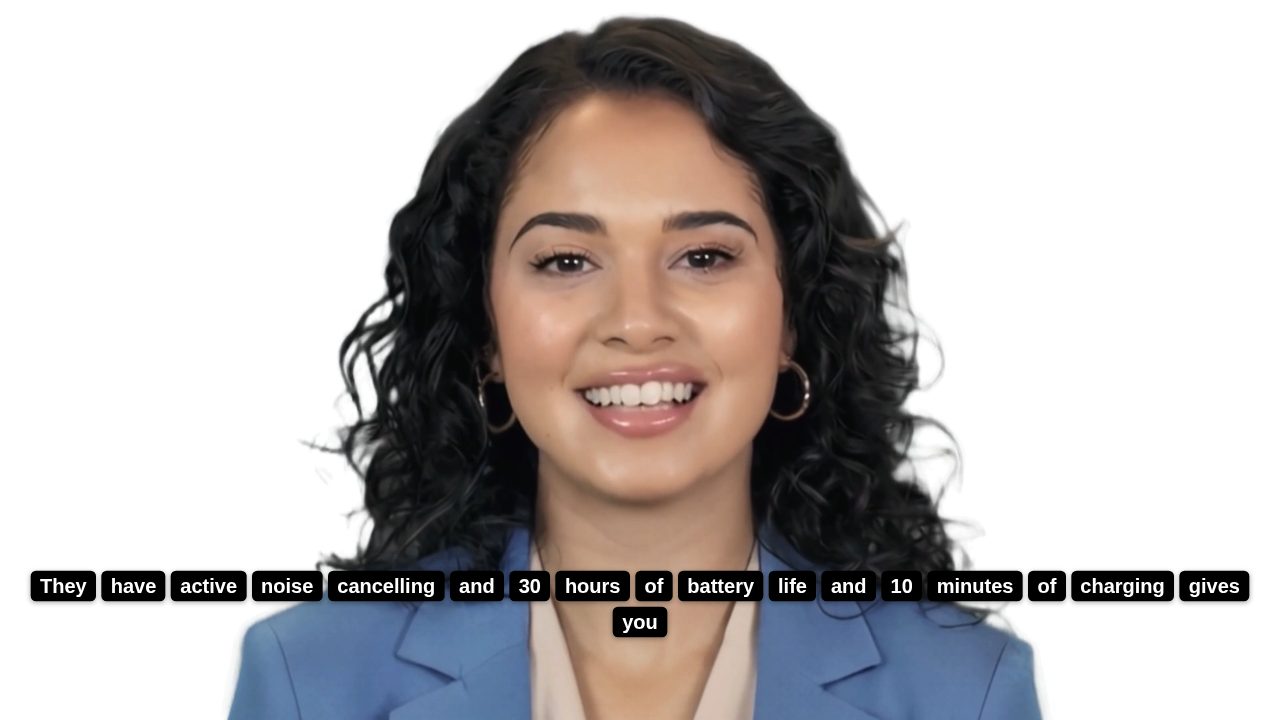
About
A subtitle style in which every word sits in its own box, as in short-form social video.
The box and text colours, the corner rounding, the padding and the space between boxes are settings, with the font, its size and its weight. A box changes colour under the pointer.
Settings
What a creator can set in the Studio, and what a host can set in its overrides.
Layout
| Setting | Type | Default | What it does |
|---|---|---|---|
Gap Between Boxesgap | Text | 8px | Space between word boxes (e.g., "8px") |
Box Paddingpadding | Text | 6px 14px | Padding inside each box (e.g., "6px 14px") |
Border RadiusborderRadius | Text | 8px | Rounded corners (e.g., "8px", "16px") |
Styling
| Setting | Type | Default | What it does |
|---|---|---|---|
Box ColorboxColor | Colour | #000000 | Background color of word boxes |
Text ColortextColor | Colour | #FFFFFF | Color of the text inside boxes |
Hover ColorhoverColor | Colour | #333333 | Box color when hovering |
Highlight ColorhighlightColor | Colour | #FF0050 | Color for current word box (karaoke mode) |
Typography
| Setting | Type | Default | What it does |
|---|---|---|---|
Font SizefontSize | Text | 20px | Size of the text in each box |
Font FamilyfontFamily | Text | system-ui | Font family for the text |
Font WeightfontWeight | One of | Bold | Weight/boldness of the font |
What it can reach
This plugin asks for nothing: no network, no reading of the video's analysis, no say over what plays.
Versions
- v1.0.0November 27, 2026Current