
Preview
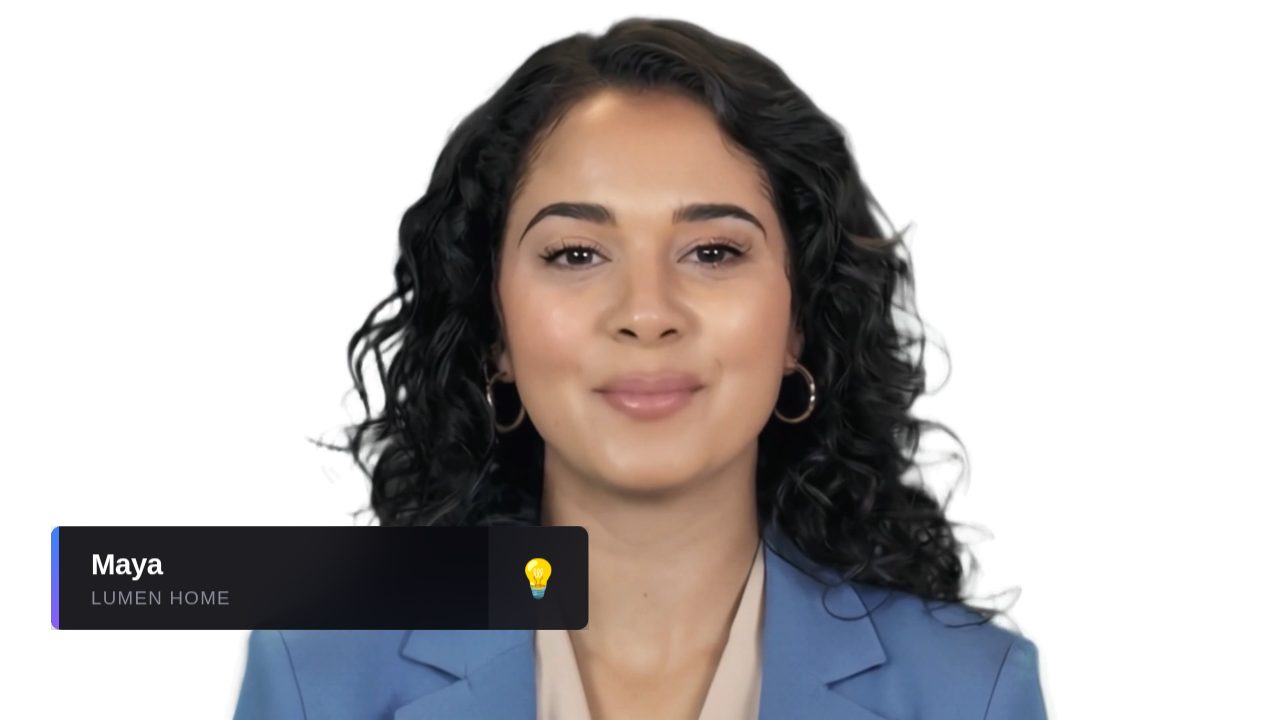
About
A name bar in the style of a news broadcast: a main line, a second line and an optional logo, with a gradient accent bar.
Use it to say who is speaking or what is on screen. Both lines, the logo and every colour are settings.
Settings
What a creator can set in the Studio, and what a host can set in its overrides.
Content
| Setting | Type | Default | What it does |
|---|---|---|---|
Logologo | Text | 🎬 | Emoji or short text in the box at the right end of the bar. Left empty, the box stays as an empty space. |
Main LineprimaryText | Text | John Smith | First line in large bold text, such as a person's name. |
Second LinesecondaryText | Text | CEO & Founder | Smaller line under the main one, shown in capitals, such as a job title. |
Colors
| Setting | Type | Default | What it does |
|---|---|---|---|
Main Line ColortextColor | Colour | #ffffff | Color of the first, larger line of text. |
Accent Start ColoraccentColor | Colour | #3b82f6 | Top color of the thin gradient bar on the left edge. |
Second Line ColorsubtextColor | Colour | #8b8b9a | Color of the smaller second line of text. |
Accent End ColoraccentColorEnd | Colour | #8b5cf6 | Bottom color of the thin gradient bar on the left edge. |
Background ColorbackgroundColor | Colour | rgba(10,10,15,0.92) | Fill of the bar, with the video blurred behind it; a transparent value such as rgba(10,10,15,0.92) lets it show through. |
What it can reach
This plugin asks for nothing: no network, no reading of the video's analysis, no say over what plays.
Versions
- v1.0.1November 27, 2026Current
What changed
1.0.1: every setting has a title, help text and a group.
- v2.0.9January 9, 2026
What changed
Archived version
- v1.0.0December 18, 2025
What changed
Archived version