
Preview
About
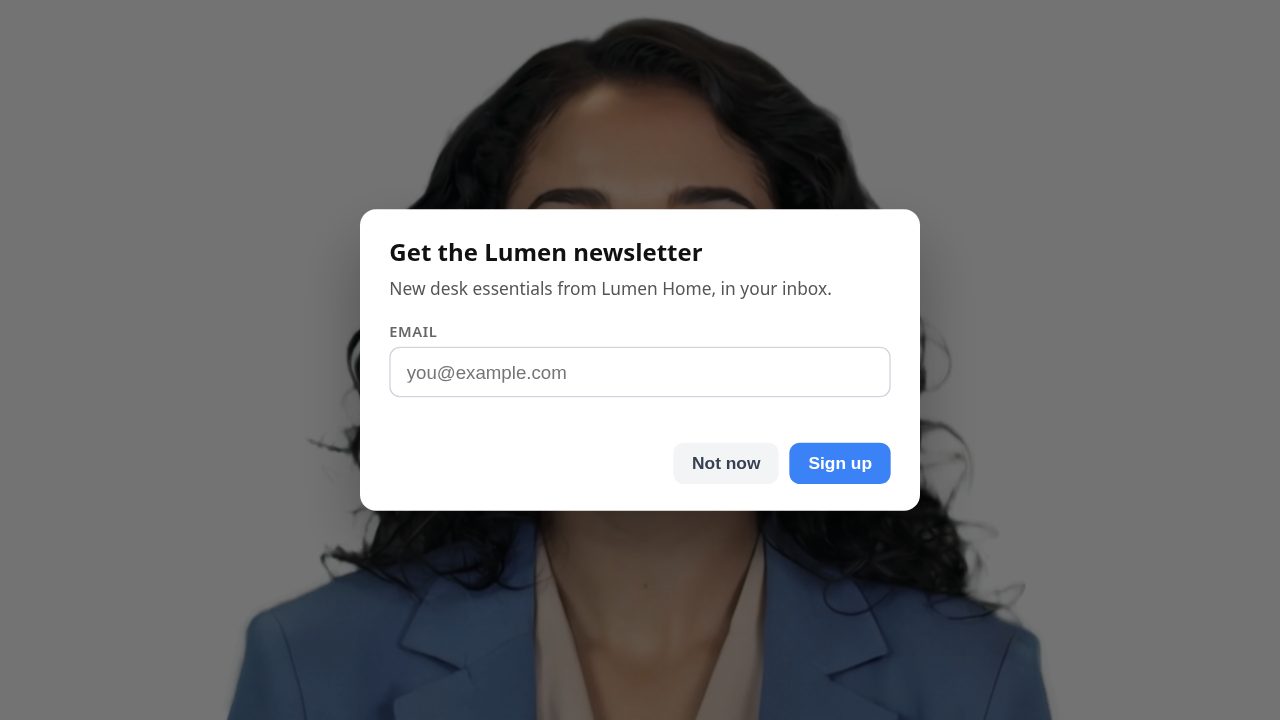
A dialog in the middle of the video that asks the viewer for an email address. The video pauses while it is open.
The address is checked before it is sent. When the viewer submits, the plugin emits submitted with the address and your page stores it: the plugin keeps nothing and contacts no service. Closing the dialog emits cancelled.
The title, the subtitle, the field's label and placeholder and both button labels are settings.
Settings
What a creator can set in the Studio, and what a host can set in its overrides.
Text
| Setting | Type | Default | What it does |
|---|---|---|---|
Titletitle | Text | Stay in the loop | Heading at the top of the dialog. Left empty, it shows “Stay in the loop”. |
Subtitlesubtitle | Text | Enter your email to continue. | Line under the heading. Left empty, it shows “Enter your email to continue.” |
Email Field
| Setting | Type | Default | What it does |
|---|---|---|---|
Field labelfieldLabel | Text | Small label in capitals above the email box. Left empty, it shows “Email”. | |
Placeholderplaceholder | Text | you@example.com | Grey hint inside the empty email box. Left empty, it shows you@example.com. |
Buttons
| Setting | Type | Default | What it does |
|---|---|---|---|
Cancel button labelcancelLabel | Text | Cancel | Text on the button that sends the cancelled event, closes the dialog and resumes the video. |
Submit button labelsubmitLabel | Text | Submit | Text on the button that checks the address, sends the submitted event, closes the dialog and resumes the video. |
Events and actions
Events you can react to
| Event | When it is sent | Data |
|---|---|---|
Dialog Cancelledplugin:mp4e:email-form:cancelled | Fires when the viewer presses the cancel button, with no data; the dialog then closes and the video plays. | - |
Email Submittedplugin:mp4e:email-form:submitted | Fires when the viewer submits a valid email address and carries it as email; the dialog then closes and the video plays. |
|
What it can reach
This plugin asks for nothing: no network, no reading of the video's analysis, no say over what plays.
Versions
- v1.0.0November 27, 2026
What changed
Archived before v1.0.1.
- v1.0.1November 27, 2026Current
What changed
1.0.1: every setting has help text and a group; its events are labelled and say what they carry in a data schema, so a rule can read the email address.