
Preview
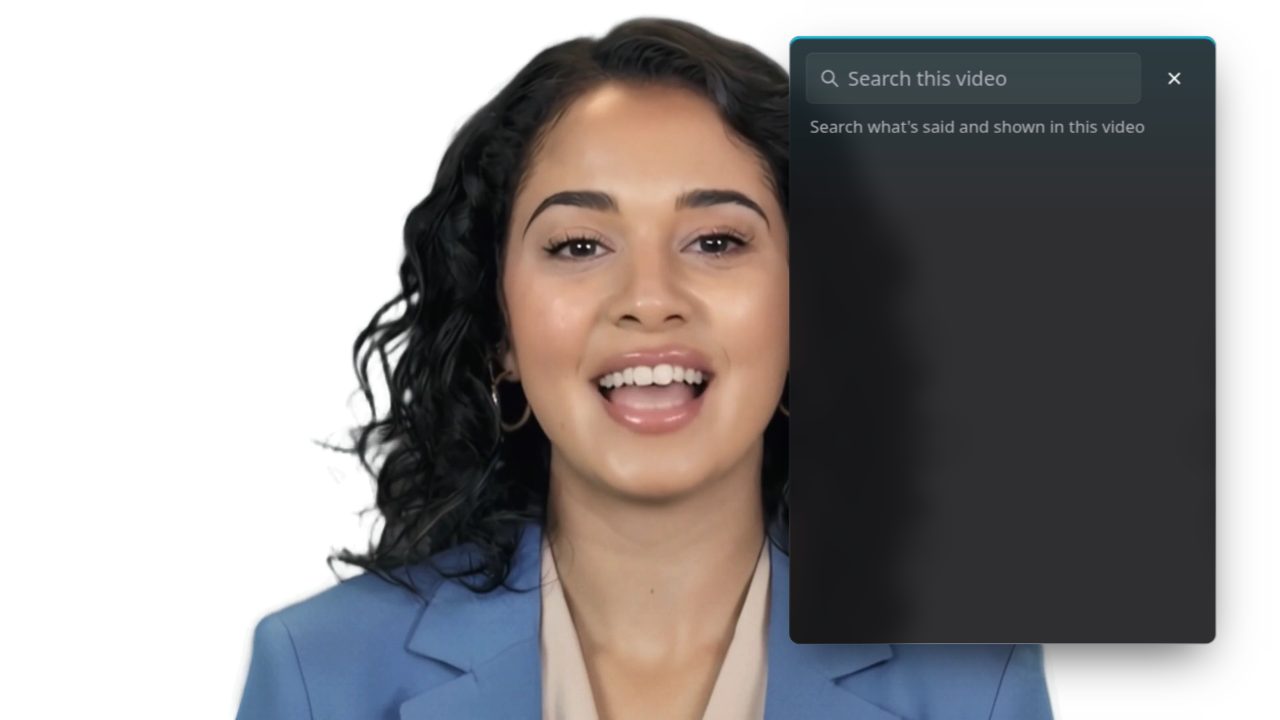
Type battery or lamp, then pick a result.
About
Search lets a viewer find a moment inside the video by typing a few words. It searches the video's Intelligence (chapters, key moments, questions answered, things, people and scene descriptions) and the subtitles, and a tap jumps straight there.
- What it does: adds "Search" to the player's settings menu. Viewers type, results appear as they type, and a tap seeks to that moment and plays.
- Step 1: analyse the video (Make interactive), or add subtitles. Search needs one of the two; without either it stays out of the menu.
- Step 2: install Search from the marketplace and choose what it may read. People and the transcript are off unless you tick them.
- Step 3: add one Search overlay covering the whole timeline. One overlay is the whole plugin.
- Look: one of the plugin family's six themes (Clean, Bold, Cinematic, Playful, Studio, Atelier) with the family's accent, size, colour, font, corner and motion settings. Pick the same theme on every family plugin in a video and they read as one set.
- How it behaves: the panel is a sheet across the frame on phones and a side sheet on larger screens, always readable and clear of the player's controls. It pauses the video while open (you can turn that off). With a cut playing, results outside it are marked "Not in this cut"; picking one leaves the cut and jumps there.
- Keyboard: / opens search (written as an input shortcut on install, yours to change), arrows move through the results, Enter jumps, Escape closes.
- Privacy: everything runs in the player, on the viewer's device. The Search Result Selected event carries what the viewer typed only when they have not turned on Do not track.
- For power users: the plugin emits Search Result Selected and accepts the actions Open Search and Close Search.
- Example rule: on plugin:mp4e:search:search:selected, run setVariable to count searches, or show a help overlay the first time.
Settings
What a creator can set in the Studio, and what a host can set in its overrides.
Style
| Setting | Type | Default | What it does |
|---|---|---|---|
Fontfont | Text | - | A CSS font stack, e.g. "Georgia, serif". Use fonts the viewer's device already has; plugins cannot download fonts. Leave empty for the theme's own. |
Sizesize | One of | Normal | How large everything is, on top of scaling with the video. Lean-back is for a TV across the room. Search's older sizes still work and show as the family size named beside them. |
Themetheme | One of | Studio | The look. Pick the same theme on every family plugin in a video and they read as one set. Search's older theme names still work and show as the family theme named beside them. |
Accent colouraccent | Colour | - | Buttons, highlights and the focus ring, as #rrggbb (or #rgb, rgb(), rgba()). Leave empty for the theme's own. The text on it is picked for you so it stays readable. |
Motionmotion | One of | Full | How things appear and move. A viewer who has asked their device for reduced motion always gets at most Reduced. |
Corner roundingradius | Number, 0 to 200 | - | Corner radius of panels and cards, in pixels of a 1920-wide frame. Leave empty for the theme's own. |
Background coloursurface | Colour | - | The panels' background, as #rrggbb (or #rgb, rgb(), rgba() for see-through). Leave empty for the theme's own. If the theme's text would not read on it, a readable one is used. |
Custom CSScustomCss | Text | - | Extra CSS injected into the plugin frame, after the theme. For fine adjustments the settings above do not reach. |
Text colourtextColor | Colour | - | As #rrggbb (or #rgb, rgb(), rgba()). Leave empty for the theme's own (or the readable one picked for your background colour). |
Search
| Setting | Type | Default | What it does |
|---|---|---|---|
What to searchkinds | One of | - | The kinds of result viewers can find. Untick everything and nothing is searched, so the Search entry leaves the player menu. |
Menu labelmenuLabel | Text | Search | What the entry in the player's settings menu is called. Viewers read this. The entry appears only when the video has something to search. |
Pause while searchingpauseWhileSearching | On or off | On | Pause the video while the search panel is open, and play again when it closes without a pick. Picking a result always plays from there. |
Behavior
| Setting | Type | Default | What it does |
|---|---|---|---|
Stacking orderzIndex | Number | 1000000 | How the open panel stacks against your other overlays. Higher sits on top. While closed the plugin sits at the bottom and lets every click through. |
Older look settings
| Setting | Type | Default | What it does |
|---|---|---|---|
Animationanimation | One of | fade | Older setting. 'None' turns all motion off, whatever Motion says. Prefer Motion. |
Brand fontfontFamily | Text | - | Older setting, read only when Theme is 'Brand': it fills Font when that is empty. Prefer Font, which works with every theme. |
Brand accent colouraccentColor | Colour | - | Older setting, read only when Theme is 'Brand': it fills Accent colour when that is empty. Prefer Accent colour, which works with every theme. |
Events and actions
Events you can react to
| Event | When it is sent | Data |
|---|---|---|
Search Result Selectedplugin:mp4e:search:search:selected | The viewer jumped to a search result. The query is included only when the viewer has not turned on Do not track. |
|
Actions a rule or the host can call
| Action | What it does | Its settings |
|---|---|---|
Open Searchopen | Open the search panel. Does nothing when the video has nothing to search. | - |
Close Searchclose | Close the search panel. | - |
What it can reach
- Reads the video's analysis
- Chapters
- Key moments
- Questions the video answers
- The things in the video
- Scenes
- People
- What is said
- Can change which part of the video playsLeaves the cut that is playing when the viewer jumps to a result outside it.
- Adds keyboard shortcuts
- / Open search
Versions
- v1.2.2November 4, 2026Current
What changed
1.2.2: an open surface keeps a remote until Back closes it, and a remote leaves the rest at the edge (kit 1.3.1). 1.2.0: the Atelier theme (kit 1.3.0). 1.1.0: joins the MP4E plugin family (familyKit 1.3.1): the five family themes (Clean, Bold, Cinematic, Playful, Studio — default Studio) and the common style settings (accent, size, surface, text colour, font, radius, motion). Readable on phones: sizes follow the displayed video with the family's minimum readable size (body text about 15 real px on a 375 px player, was under 5), and the panel keeps 76 real px clear of the player's control bar. A sheet across the frame on a phone-sized player (under 640 px), a side sheet otherwise. Keyboard, TV remote and gamepad move through the field and the results with a visible focus ring. The older theme and size values, accentColor / fontFamily under Brand and animation: none keep working; radius now applies under every theme. An overlay still on an older theme ignores textColor and surface, as before.
- v1.2.1November 3, 2026
What changed
1.2.0: the Atelier theme (kit 1.3.0). 1.1.0: joins the MP4E plugin family (familyKit 1.3.0): the five family themes (Clean, Bold, Cinematic, Playful, Studio — default Studio) and the common style settings (accent, size, surface, text colour, font, radius, motion). Readable on phones: sizes follow the displayed video with the family's minimum readable size (body text about 15 real px on a 375 px player, was under 5), and the panel keeps 76 real px clear of the player's control bar. A sheet across the frame on a phone-sized player (under 640 px), a side sheet otherwise. Keyboard, TV remote and gamepad move through the field and the results with a visible focus ring. The older theme and size values, accentColor / fontFamily under Brand and animation: none keep working; radius now applies under every theme. An overlay still on an older theme ignores textColor and surface, as before.
- v1.2.0October 25, 2026
What changed
1.2.0: the Atelier theme (kit 1.3.0). 1.1.0: joins the MP4E plugin family (familyKit 1.3.0): the five family themes (Clean, Bold, Cinematic, Playful, Studio — default Studio) and the common style settings (accent, size, surface, text colour, font, radius, motion). Readable on phones: sizes follow the displayed video with the family's minimum readable size (body text about 15 real px on a 375 px player, was under 5), and the panel keeps 76 real px clear of the player's control bar. A sheet across the frame on a phone-sized player (under 640 px), a side sheet otherwise. Keyboard, TV remote and gamepad move through the field and the results with a visible focus ring. The older theme and size values, accentColor / fontFamily under Brand and animation: none keep working; radius now applies under every theme. An overlay still on an older theme ignores textColor and surface, as before.
- v1.1.0October 10, 2026
What changed
Joins the MP4E plugin family (familyKit 1.1.1): the five family themes (Clean, Bold, Cinematic, Playful, Studio — default Studio) and the common style settings (accent, size, surface, text colour, font, radius, motion). Readable on phones: sizes follow the displayed video with the family's minimum readable size (body text about 15 real px on a 375 px player, was under 5), and the panel keeps 76 real px clear of the player's control bar. A sheet across the frame on a phone-sized player (under 640 px), a side sheet otherwise. Keyboard, TV remote and gamepad move through the field and the results with a visible focus ring. The older theme and size values, accentColor / fontFamily under Brand and animation: none keep working; radius now applies under every theme. An overlay still on an older theme ignores textColor and surface, as before.
- v1.0.1October 10, 2026
What changed
Archived version
- v1.0.0October 10, 2026
What changed
Archived version